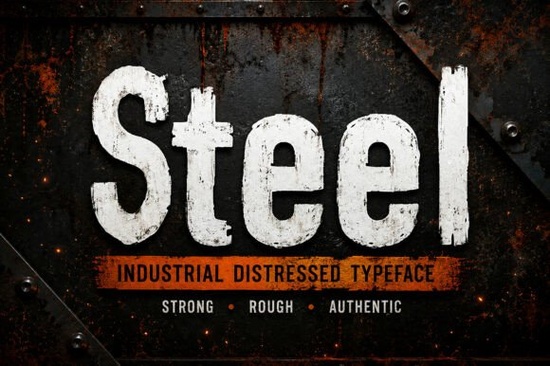
If you have ever tried to design a logo for a construction company or a rugged merchandise store, you know how difficult it is to find a typeface that captures the right mood. Smooth, clean letters often look too delicate for jobs that involve heavy machinery, weathered wood, or urban decay. That is where a specialized character set comes in handy. We recently looked at the Steel Font from Creative Fabrica, which is designed specifically to bring weight and authenticity to serious projects.
This typeface draws inspiration from worn factory signage and vintage tools. Instead of offering perfect geometric shapes, it features a textured surface that mimics chipped paint and rust. For creators who sell on print-on-demand platforms or run local trade businesses, having this visual element available can make the difference between a generic design and one that feels trustworthy and durable. It allows you to communicate strength without needing complex graphic overlays.
What Are the Core Features of This Display Type?
Before purchasing, it helps to understand what you actually receive in the download file. Unlike some free samples that limit you to just capital letters, this set is quite complete. It includes both uppercase and lowercase alphabets, which provides flexibility when you need to fit shorter taglines or smaller text blocks. There are also standard punctuation marks and numbers included, so setting up prices on posters or product labels is straightforward.
The most significant aspect is the distressed texture built into every glyph. You do not need to apply filters manually in Photoshop because the effect is inherent to the characters themselves. This saves hours of post-processing time. Additionally, the file supports multiple languages, which is crucial for international clients or brands selling globally. The package contains OTF, TTF, and WOFF formats, meaning you can use it across various software suites or embed it directly into websites.
When Should You Use Rough Text Versus Smooth Styles?
Every project demands a specific visual language. While Steel Font excels at conveying durability, it is not suitable for every scenario. Knowing when to switch to a different aesthetic is part of professional design practice. For example, if you are creating invitations for a wedding or a baby shower, the heavy industrial vibe would feel out of place. In those cases, it is better to explore softer collections, such as a cute stories font that focuses on whimsy and lightness.
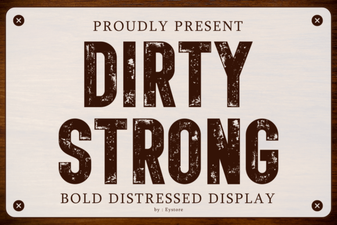
Conversely, if your goal is maximum impact for a streetwear brand, you might consider options that push the grit further. If you find this texture isn't rough enough for your vision, exploring resources like a dirty strong font could provide even more aggressive detailing. On the other hand, some branding requires elegance rather than aggression. A project focused on high-end jewelry might benefit from the refined curves found in a fishtail monogram. Balancing these choices ensures your final piece communicates the intended message clearly without confusing the audience.
How Does This Work for Merchandise Sellers?
Print-on-demand sellers often struggle to find fonts that render well on t-shirts and mugs. Because this set uses standard vector formats, the edges remain sharp regardless of scaling. Whether you are printing on a canvas bag or embossing a metal sign, the letters hold their shape well. The lowercase letters allow for more versatile layouts. Instead of all-caps block text that can sometimes be hard to read at small sizes, mixing lower case into headlines can improve legibility while keeping the bold attitude.
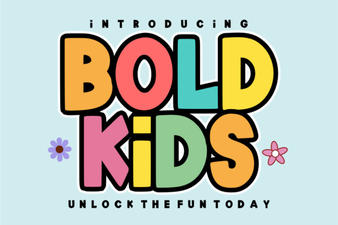
If you are targeting the outdoor adventure market, this style pairs exceptionally well with imagery of mountains, forests, and camping gear. It bridges the gap between a corporate identity and a hobbyist club membership card. However, if your niche is strictly children’s clothing, a blockier approach might work better. For playful themes, fonts like those in a bold kids font collection are designed specifically for that audience and should be considered instead.
Installation and File Compatibility
Getting started is simple for anyone familiar with desktop publishing. Once you unzip the folder, locate the files ending in .ttf or .otf. Right-click to install, and the font becomes available immediately in programs like Adobe Illustrator, Canva, or Microsoft Word. The web formats (WOFF) are handy if you are designing responsive sites that need custom headers. Testing the font with your own copy is the best way to verify spacing. Sometimes standard kerning needs adjustment after importing, but the wide spacing in capitals usually prevents collisions between characters.
You can see the full range of weights and glyphs by visiting the Steel Font page online. This allows you to view examples before committing to a purchase, ensuring the texture level matches your specific workflow.
Quick Checklist Before Downloading
- Verify Character Set: Ensure your design includes accented characters if your project serves non-English speaking markets.
- Check Licensing: Confirm whether the Commercial License covers physical merchandise sales, especially for t-shirt prints.
- Test Contrast: Place the font over busy background images to see if the distressed parts lose detail at smaller sizes.
- Pairing Options: Identify a complementary simple sans-serif to balance the heavy texture in large body text.
- Format Availability: Choose the version (OTF vs TTF) that works best with your preferred design software.
 Kids' Creative Font Projects for Bold Designs
 Discover the Trup & Tomp Font for Your Next Design Project
 Dirty Strong Font: Bold Design Projects
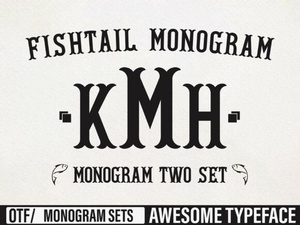 Crafting with Fishtail Monogram Fonts
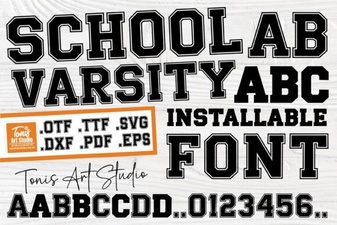 Designing with School Varsity Font Styles
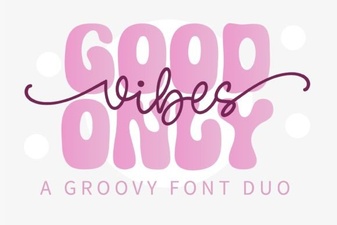 Good Vibes Only Font Duo: Creative Design Ideas